

Getting Started with Handshake
Getting started is easy whether you're using a computer, phone, or tablet.
-
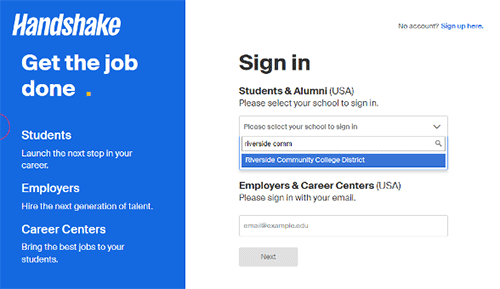
Go to app.joinhandshake.com or download the mobile app.
Apple App Store
Google Play - Type "Riverside Community College District" in the search bar.
- Log in using your RCCD Student Email login (usually your username@student.rccd.edu).
Your account is already pre-populated with information you provided during application
and registration.
Handshake's Help Center
Handshake’s Help Center offers tutorials and resources to help you set up, navigate, and use your Handshake
profile.
Tips and Tricks
To help you make the most of Handshake, we’ve put together some links to useful blog posts, written by Handshake’s experts.
The Three Must-Haves on your Handshake Profile
Finding a Job on Handshake FAQ
How to Get Useful Advice from Other Students
This list is just a sample of the information available to you. For even more, explore: